WHITE PAPER
Printing a Flexible Membrane Keyboard with Conductive Silver Ink and Dielectric Ink on PET
Due to their thin profile and lightweight design, flexible membrane keyboards are useful in a variety of industries, such as portable electronics, toys, games, home appliances, medical equipment, automotive, and aerospace. This project is an example of using Voltera’s NOVA materials dispensing system to print a functional flexible membrane keyboard.
Due to their thin profile and lightweight design, flexible membrane keyboards are useful in a variety of industries, such as portable electronics, toys, games, home appliances, medical equipment, automotive, and aerospace. This project is an example of using Voltera’s NOVA materials dispensing system to print a functional flexible membrane keyboard.

MATERIALS USED
- ACI SS1109 Stretchable Silver Ink
- ACI SI3104 Stretchable Printed Insulator
- T4 tin-bismuth solder paste
- Voltera NOVA
- Voltera V-One
SUBSTRATES USED
TOOLS AND ACCESSORIES
- NOVA materials dispensing system
- Arduino Micro - A000053
- Nordson EFD 7018333 Dispensing Tip
- Nordson EFD 7018424 Dispensing Tip
- Tactile metal switches
- Keyboard cover skin
- Headers
- Diodes
- 1. Project overview
- 2. Purpose
- 3. Design layout
- 4. Desired outcome
- 5. Functionality
- 6. Printing and curing the flexible substrate
- 7. Base conductive layer
- 8. Dielectric layer
- 9. Top conductive layer
- 10. Challenges and advice for printing multilayer
- 11. Broken layers
- 12. Electrical shorts
- 13. Connection issues
- 14. Post-printing: A fully flexible electronic device
- 15. Conclusion
- 16. Frequently asked questions
- 17. What is a flexible membrane keyboard and how does it work?
- 18. How do membrane keyboards differ from mechanical keyboards?
- 19. What are flexible membrane keyboards made of?
- 20. Can membrane keyboards be backlit?
- 1. Project overview
- 2. Purpose
- 3. Design layout
- 4. Desired outcome
- 5. Functionality
- 6. Printing and curing the flexible substrate
- 7. Base conductive layer
- 8. Dielectric layer
- 9. Top conductive layer
- 10. Challenges and advice for printing multilayer
- 11. Broken layers
- 12. Electrical shorts
- 13. Connection issues
- 14. Post-printing: A fully flexible electronic device
- 15. Conclusion
- 16. Frequently asked questions
- 17. What is a flexible membrane keyboard and how does it work?
- 18. How do membrane keyboards differ from mechanical keyboards?
- 19. What are flexible membrane keyboards made of?
- 20. Can membrane keyboards be backlit?
Project overview
Purpose
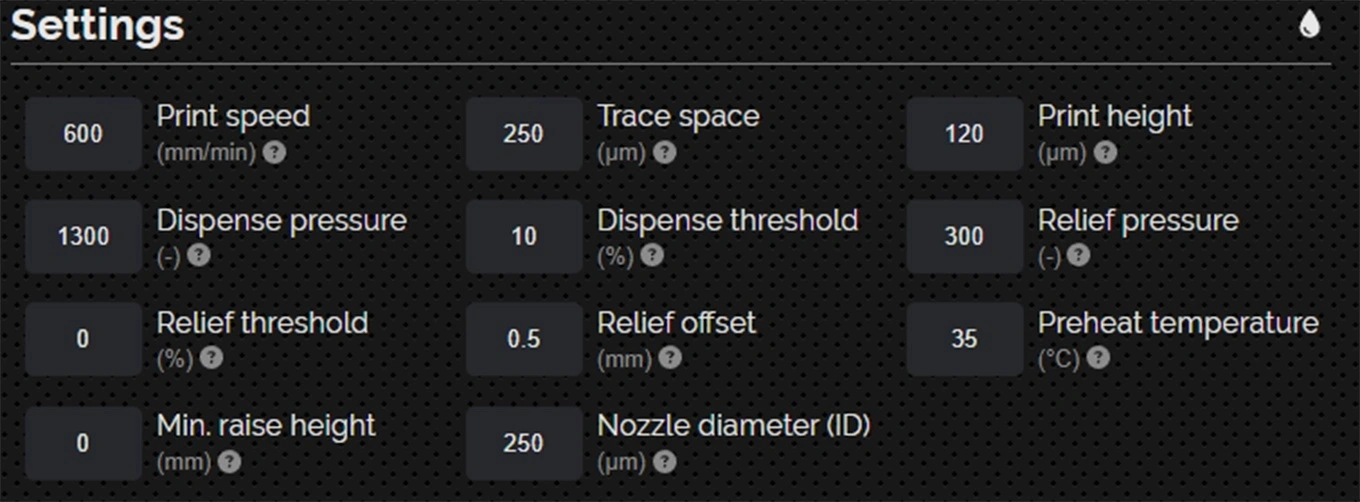
The purpose of this project is to demonstrate how NOVA prints multilayer electrical circuits on a highly flexible substrate (PET), and dispenses ink with high precision on sections that are as small as 250 µm W × 40 µm H.
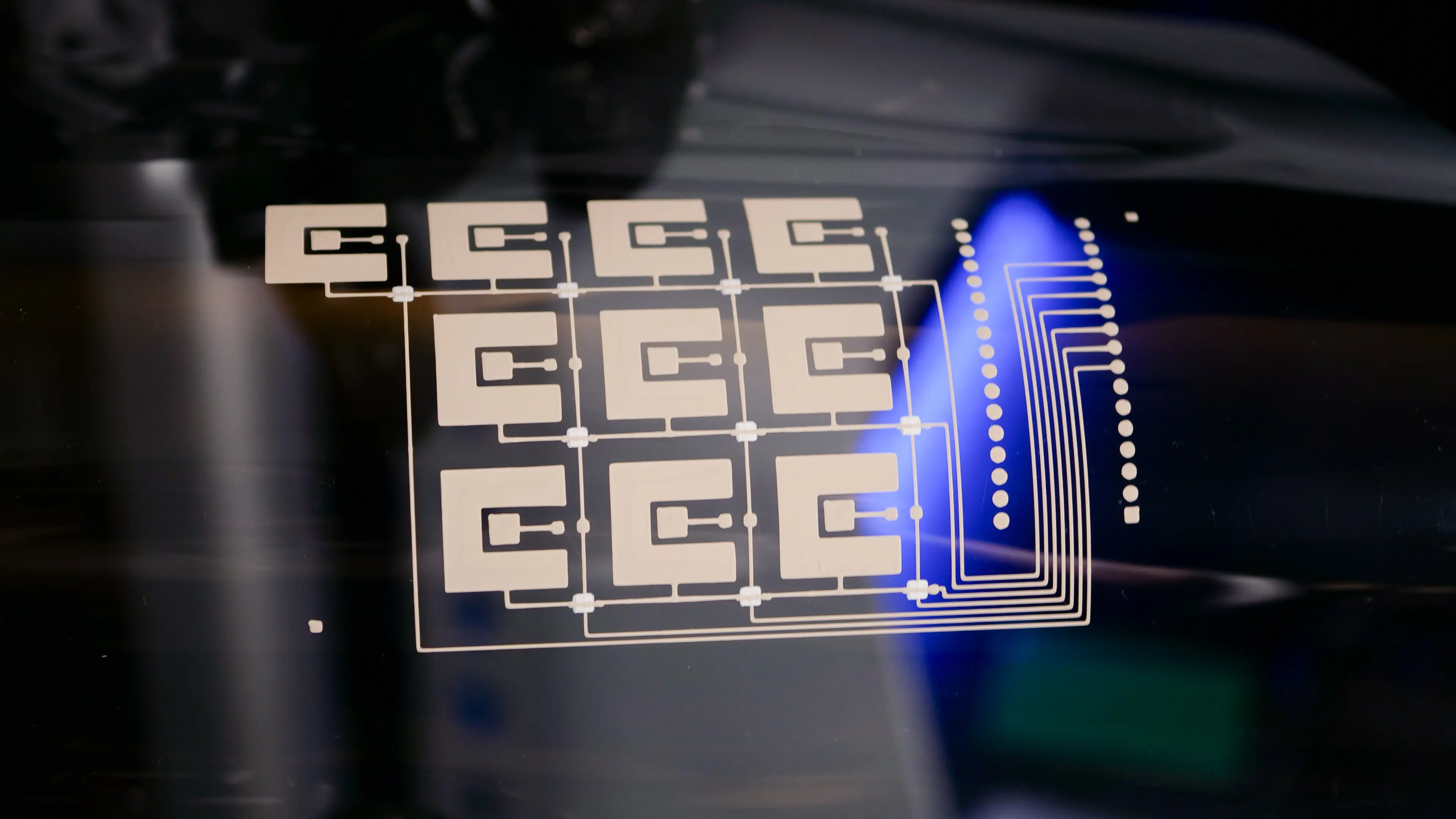
Design layout
We divided the layout into three layers:
- Base conductive layer (ACI SS1109 Stretchable Silver Ink)
- Dielectric layer (ACI SI3104 Stretchable Printed Insulator)
- Top conductive layer (ACI SS1109 Stretchable Silver Ink)
Desired outcome
Based on a matrix style keyboard design, we limited the number of pins used to only seven on the controller (Arduino Micro, A000053). Once connected to a power source, pressing any key on the keyboard will trigger the controller to register the key.
Functionality
We determined a 10-numbered keypad design would be suitable for this project. However, other flexible membrane keyboard designs have the potential for further customization, such as specific graphics, colors, or lighting, which could be beneficial for specialized equipment, including customized control panels, wearable devices, and foldable electronics.
Printing and curing the flexible substrate
Base conductive layer
This layer consists of a 4’’ × 3’’ matrix grid for 10 numbered keys, excluding the 10 dielectric pads (see dielectric layer).

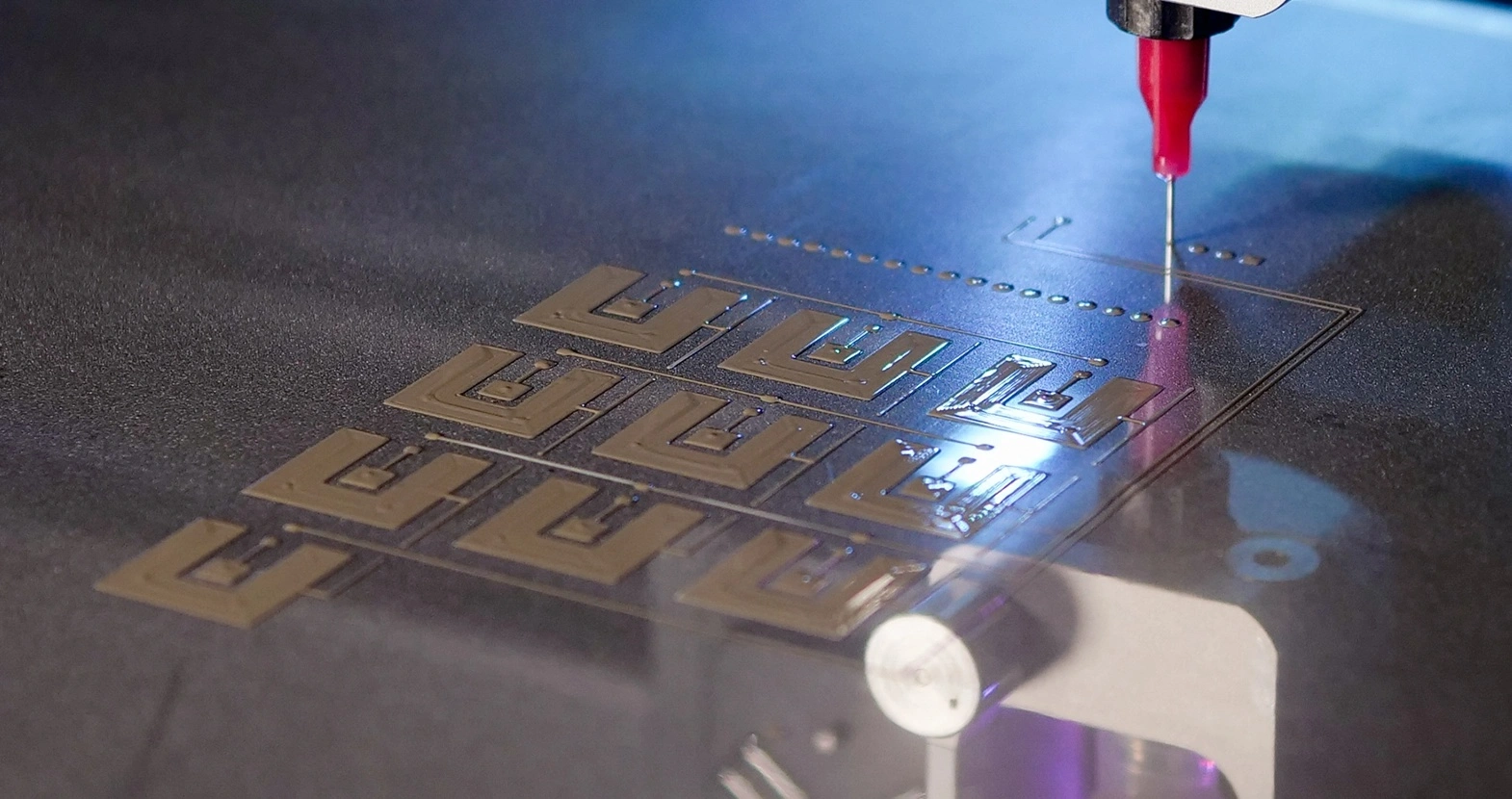
| Ink | ACI SS1109 stretchable silver ink |
| Substrate | PET |
| Nozzle type | Nordson EFD 7018333 dispensing tip, 0.25 mm inner diameter |
| Probe pitch | 5 mm |
| Cure time and temperature | 5 minutes at 135°C |

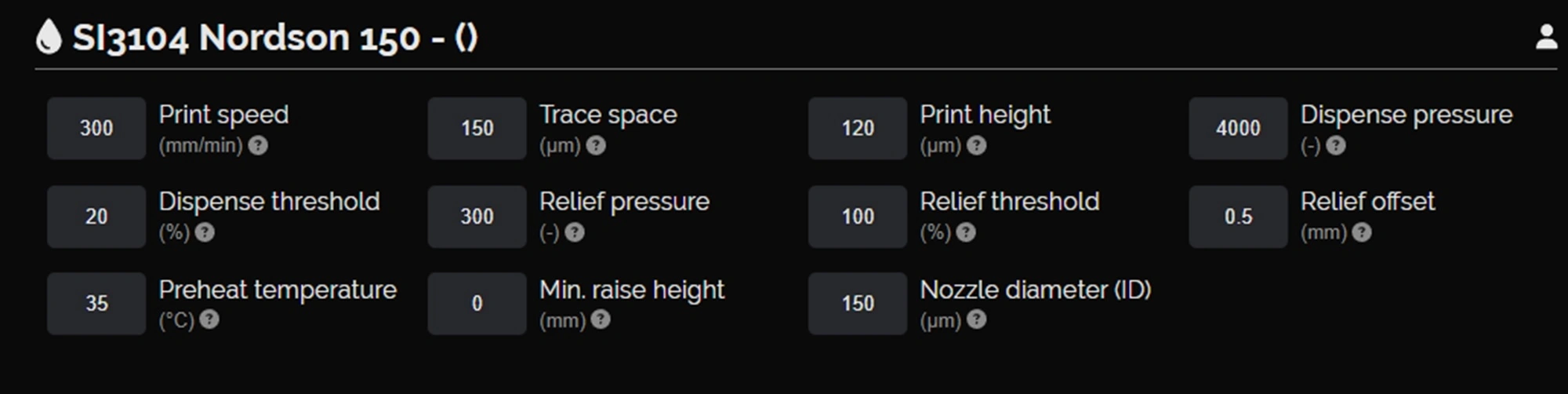
Dielectric layer
This layer consists of 10 dielectric pads. To ensure full coverage of the dielectric ink, we did two passes for this layer, each cured after dispensing.


| Ink | ACI SI3104 stretchable printed insulator |
| Substrate | PET |
| Nozzle type | Nordson EFD 7018424 dispensing tip, 0.15 mm inner diameter |
| Probe pitch | 2 mm |
| Cure time and temperature | 5 minutes at 135°C |
Top conductive layer
This layer consists of 10 fine crossover lines that connect the red signal paths and complete the circuitry.

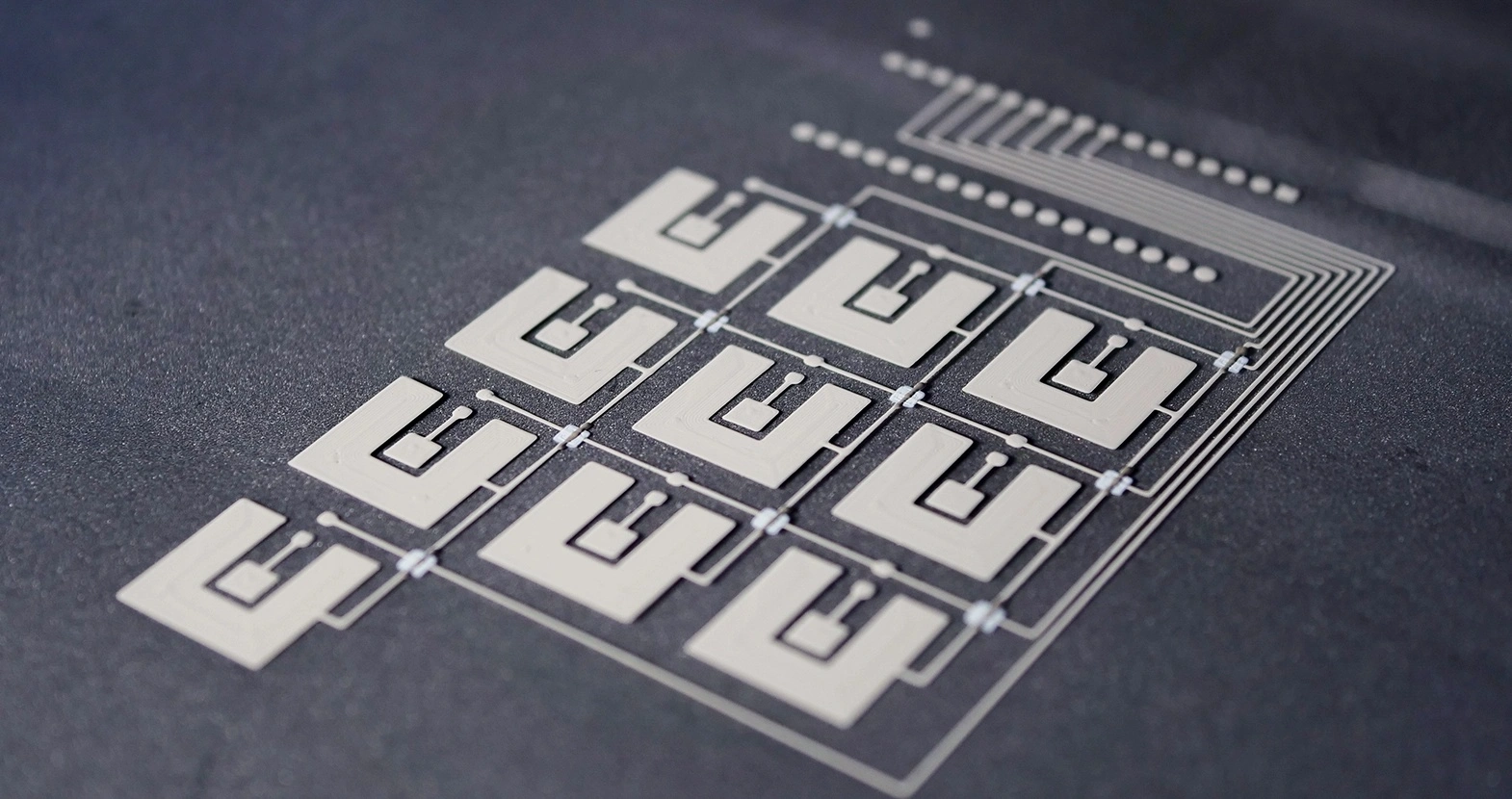
| Ink | ACI SS1109 stretchable silver ink |
| Substrate | PET |
| Nozzle type | Nordson EFD 7018333 dispensing tip, 0.25 mm inner diameter |
| Probe pitch | 2 mm |
| Cure time and temperature | 5 minutes at 135°C |
Challenges and advice for printing multilayer
Broken layers
Because inks from different manufacturers have different properties – they may contain solvents that dissolve existing traces for example – printing and curing each new layer risks breaking the layer previously completed. It is, therefore, crucial that you choose compatible materials based on the degree of flexibility required.
For this project, we selected compatible inks from ACI Materials, but for projects that involve using multiple inks from different manufacturers, it is recommended that you check the materials’ technical data sheets.
Electrical shorts
Due to the matrix design of the keyboard, the signal lines have a number of crossovers, which could cause electrical shorts if not insulated properly.
Printing a second pass of the dielectric layer achieves an appropriately thick insulating layer and supports further printing on top.
Connection issues
Because the crossover sections are intricate (250 µm W × 40 µm H), if the nozzle scratches the ink while printing, the electrical paths may not function as planned.
Separating the crossover sections into their own layer (the top conductive layer) allows each crossover pad to be probed accurately and have specialized settings, yielding a higher success rate.
In addition, because changes in height can happen drastically when printing over existing traces, setting a low probe pitch will make the height map more accurate. An accurate height map means the height transition at the edges of features is accurate and the risk of traces being printed off-course is low.
Post-printing: A fully flexible electronic device
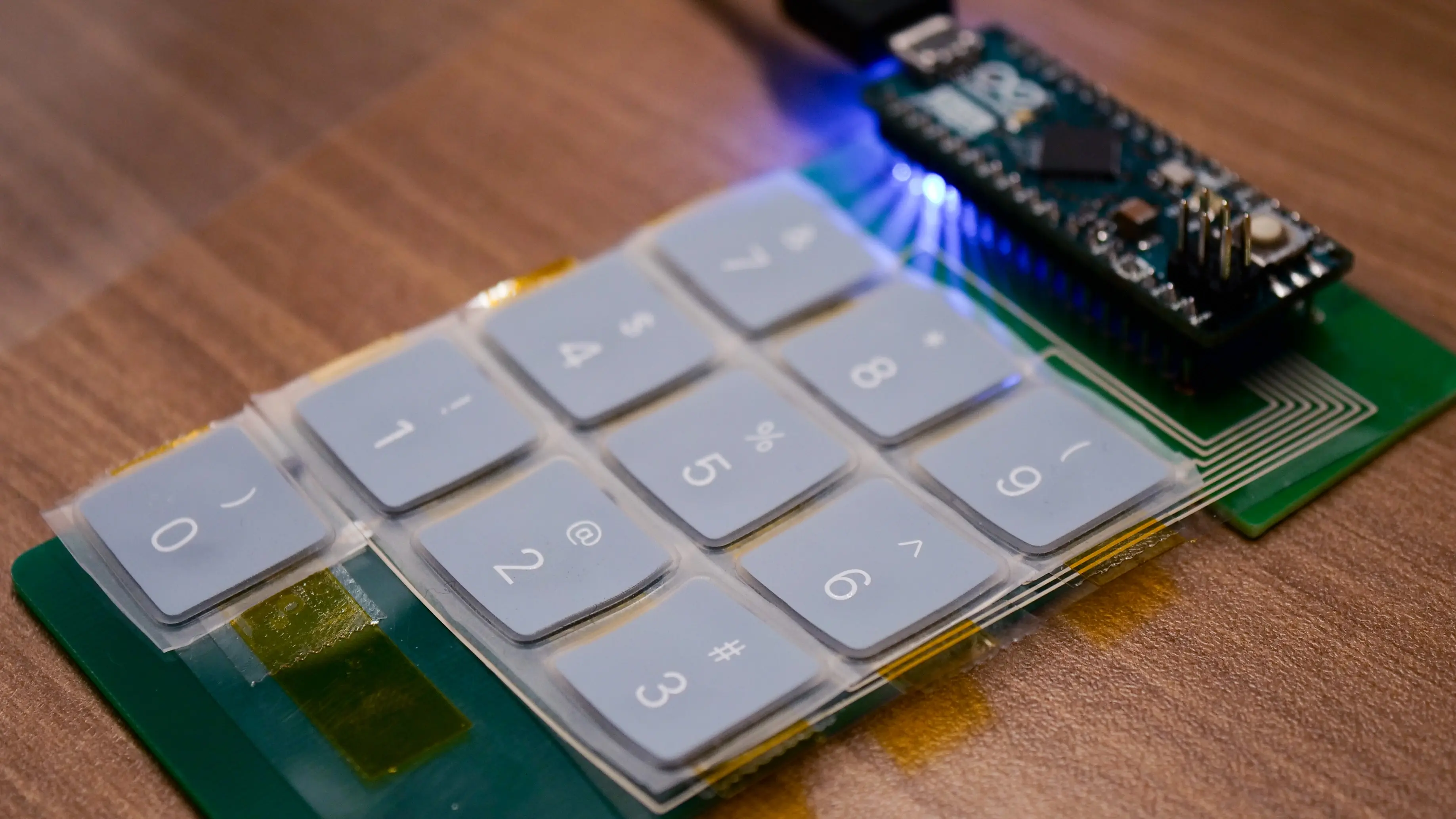
To ensure the Arduino Micro was securely in place, we used a FR1 board, cut it to 30 mm × 60 mm, and placed it beneath the flexible substrate (PET sheet). Next we drilled through holes on the board and the flexible substrate with the Voltera V-One PCB printer.
We then dispensed solder paste, placed the diodes on the flexible substrate, and riveted it together with the FR1 board, before placing the metal switches on the rectangle-shaped contacts. To secure the metal switches, we covered them with Kapton tape.
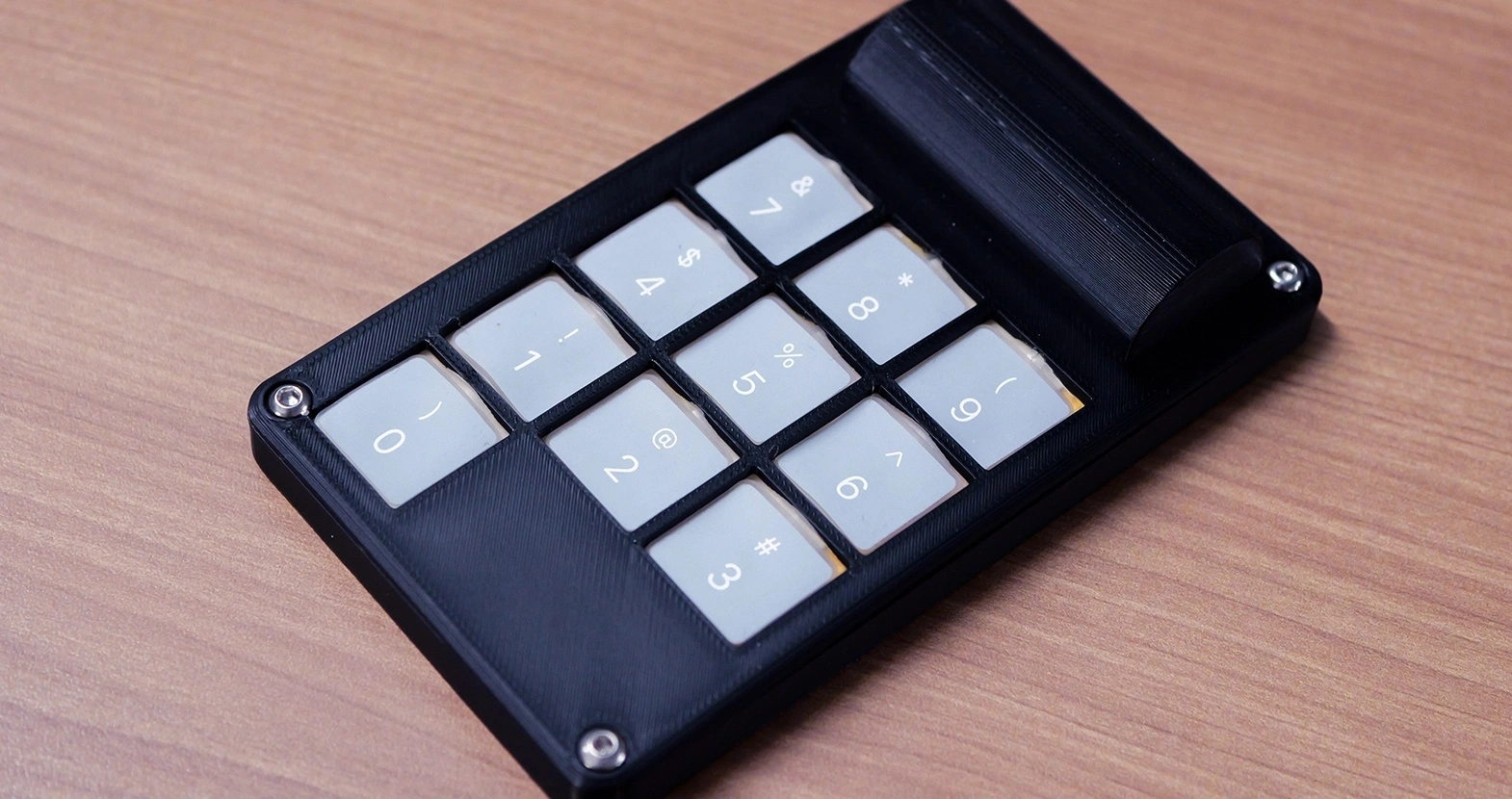
Next, we secured the controller to the flexible substrate and connected it to a power source. We also gave the keyboard a finishing touch by placing it inside a 3D-printed enclosure with graphical silicone keys.
Conclusion
This project validated a proof of concept for printing a functional flexible membrane keyboard on PET. By combining conductive silver ink with a printed dielectric layer, we created a flexible multilayer circuit that successfully registered key presses through an Arduino Micro controller. It also demonstrated how compatible materials, precise dispensing, and optimized print settings can enable reliable multilayer flexible electronics, even in intricate crossover features. As we continue to explore the boundaries of what’s possible with flexible substrates, we invite you to view the other projects we’ve completed.
Frequently asked questions
What is a flexible membrane keyboard and how does it work?
A flexible membrane keyboard is a low-profile input device made from printed conductive and insulating layers on a flexible substrate. When a key is pressed, the top conductive layer makes contact with the bottom layer through a defined opening or pressure point, closing a circuit. The controller detects this change and registers the keypress. In this project, a matrix layout minimizes the number of controller pins required.
How do membrane keyboards differ from mechanical keyboards?
Membrane keyboards rely on printed conductive traces and pressure-based contact rather than individual mechanical switches. As a result, they are thinner, lighter, quieter, and more resistant to dust and moisture. Mechanical keyboards, while offering tactile feedback and longer individual switch lifetimes, are bulkier and less suitable for flexible, sealed, or wearable applications.
What are flexible membrane keyboards made of?
Flexible membrane keyboards are typically constructed from polymer substrates such as PET, printed with conductive inks (e.g., silver), dielectric layers for insulation, and protective overlays. Additional components, such as controllers, diodes, or connectors, can be integrated using soldering, rivets, or conductive adhesives, depending on flexibility and durability requirements.
Can membrane keyboards be backlit?
Yes. Membrane keyboards can be backlit using LEDs, light guides, or printed electroluminescent layers. Backlighting can be integrated beneath the flexible layers or combined with translucent graphics to improve visibility. While this project does not include lighting, the multilayer printing approach demonstrated here is compatible with future backlit designs.

UNLOCK INNOVATION
Interested in prototyping electronics?
UNLOCK INNOVATION
Interested in prototyping electronics?


