Webinar Recap: Speed Up Your Electronics Development with V-One
Webinar Recap: Speed Up Your Electronics Development with V-One
- By: Shuxuan Jiang
- Published: February 26, 2026 |
Modified: April 7, 2026 - Estimated read time: 4 minutes
- By: Shuxuan Jiang
- Published: February 26, 2026 |
Modified: April 7, 2026 - Estimated read time: 4 minutes
In this webinar, Nathan Shinkar, our Support Lead, talked about how to speed up electronics development by bringing PCB prototyping in-house with the V-One PCB printer. He walked through the full workflow, from setting up design rules in KiCad to printing conductive traces, dispensing solder paste, reflowing components, and validating a working prototype in the same session.
Webinar highlights
V-One as a complete PCB prototyping tool
Nathan opened with an overview of V-One and how it supports a complete PCB prototyping workflow on a desktop. He explained that V-One combines conductive ink printing, stencil-free solder paste dispensing, built-in reflow, and drilling for through holes and vias, making it possible to move from design to a functional prototype much faster while minimizing material waste and simplifying rework.
Preparing a design in KiCad
To show the workflow in practice, Nathan used a rear-facing bike light project. He began in KiCad, where he reviewed how to configure design rules so the board layout matches V-One’s capabilities. He highlighted the importance of setting minimum trace widths, clearances, via dimensions, and predefined track widths before running a design rule check and exporting Gerber and drill files.

Setting up the print in V-One software
He then imported those files into V-One’s software and walked through the print setup. That included selecting the ink, loading the circuit and drill files, positioning the design on the substrate, and generating a height map so the dispenser could accurately follow the board surface. He also demonstrated how the software helps users catch errors, fine-tune print alignment, and adjust print settings before starting a run.
From live printing to prototype validation
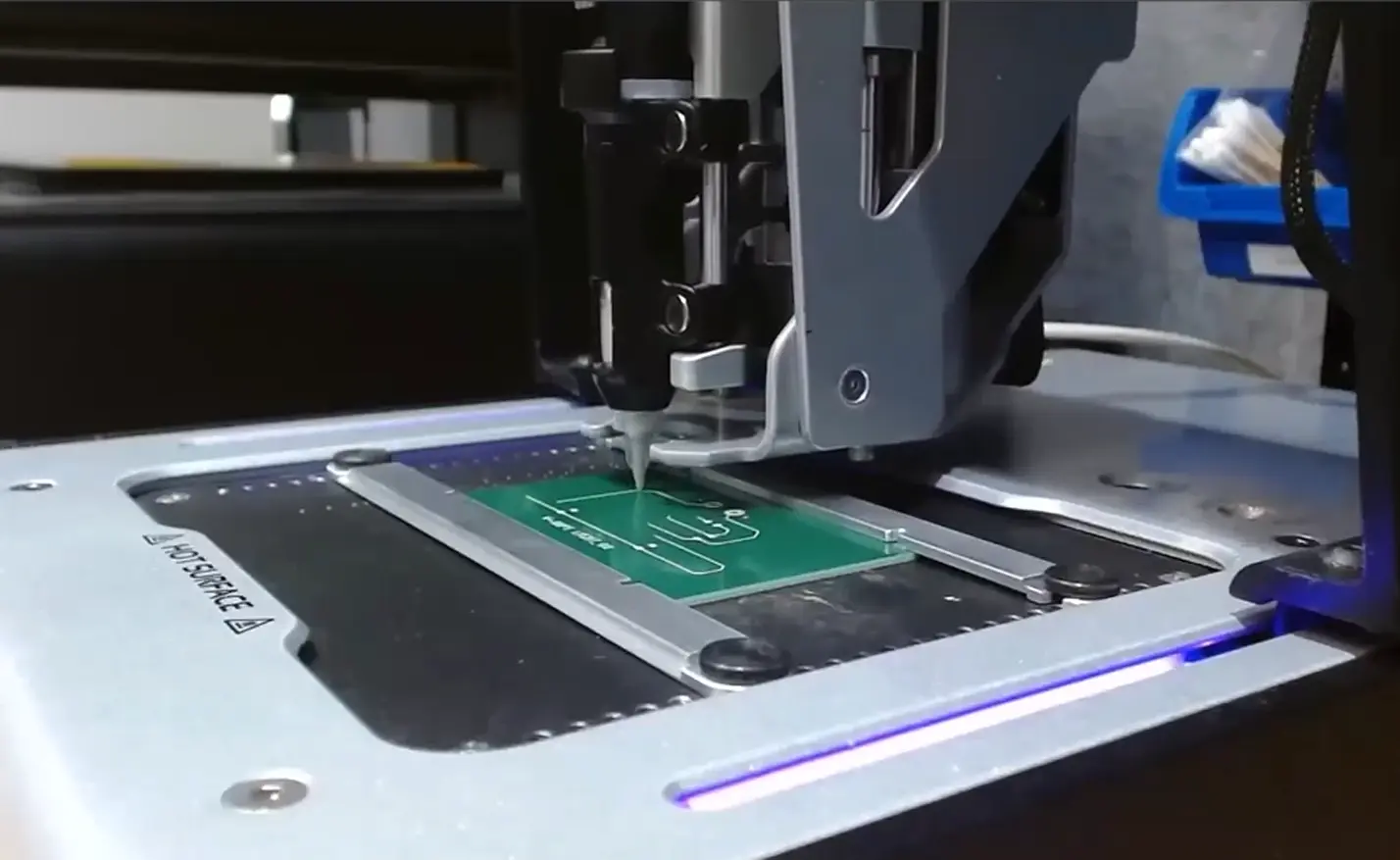
The live demo continued with assembling and priming the dispenser, calibrating ink flow, and printing the bike light circuit. Nathan pointed out that users can inspect results as they go, pause if needed, and even rework only a specific section instead of reprinting the entire board. This means users can make multiple iterations within a day with V-One. After curing and assembly, he showed the fully working prototype with blinking LEDs, then shared several next-step ideas for improving the design, including changing the LED color, adjusting the resistor value to alter the flash speed, and converting the layout into a two-sided board for a slimmer form factor.
Live Q&A
Q: Have you ever experienced oxidation of your conductive traces since they are silver-based? Is there any conductive ink alternative?
A: Slight oxidation can appear over time at the trace edges, but in our experience, it has not caused major issues. The resin in the ink helps protect the printed traces. For V-One, we currently support one compatible conductive ink, though many other conductive inks exist for broader materials dispensing applications.
Q: How thick are the traces once printed and cured? Is it possible to double up traces for increased thickness and better current handling?
A: Cured traces are typically around 20-30 µm thick. The simplest way to improve current handling is to design wider traces. Stacking layers may be possible, but it would require some experimentation and careful probing.
Q: Does V-One apply solder for surface mount components?
A: Yes. V-One can dispense solder paste for surface mount devices, and the finished bike light shown in the webinar used SMD components placed by hand and reflowed on V-One itself.
Q: How does reflow work on V-One?
A: The reflow workflow is very similar to the print workflow shown in the demo. The main difference is the alignment step, where users align to specific points on the printed board rather than simply positioning the design on a blank substrate.
Additional resources
Interested in more electronics projects completed with the V-One PCB printer? Check out these resources:
- White paper: Dispensing Solder Paste on Factory-Fabricated PCBs
- White paper: Printing a Control Board for a Line Following Robot with Silver Ink on FR1
- White paper: Printing a Decimal Counter Circuit with Silver Conductive Ink on FR1
Looking for tools for prototyping PCB boards? Book a meeting to speak with one of our technical representatives.
Check out our customer stories
Take a closer look at what our customers are doing in the industry.