Webinar Recap: Hands-On PCB Education
Webinar Recap: Hands-On PCB Education
- By: Shuxuan Jiang
- Published: October 30, 2025 |
Modified: March 15, 2026 - Estimated read time: 2 minutes
- By: Shuxuan Jiang
- Published: October 30, 2025 |
Modified: March 15, 2026 - Estimated read time: 2 minutes
In this webinar, Nathan Shinkar, our Support Lead, demonstrated how the V-One PCB printer and a series of hands-on project kits help educators bridge the gap between electronics theory and real-world circuit design.
Webinar highlights
Bringing circuits to life in the classroom
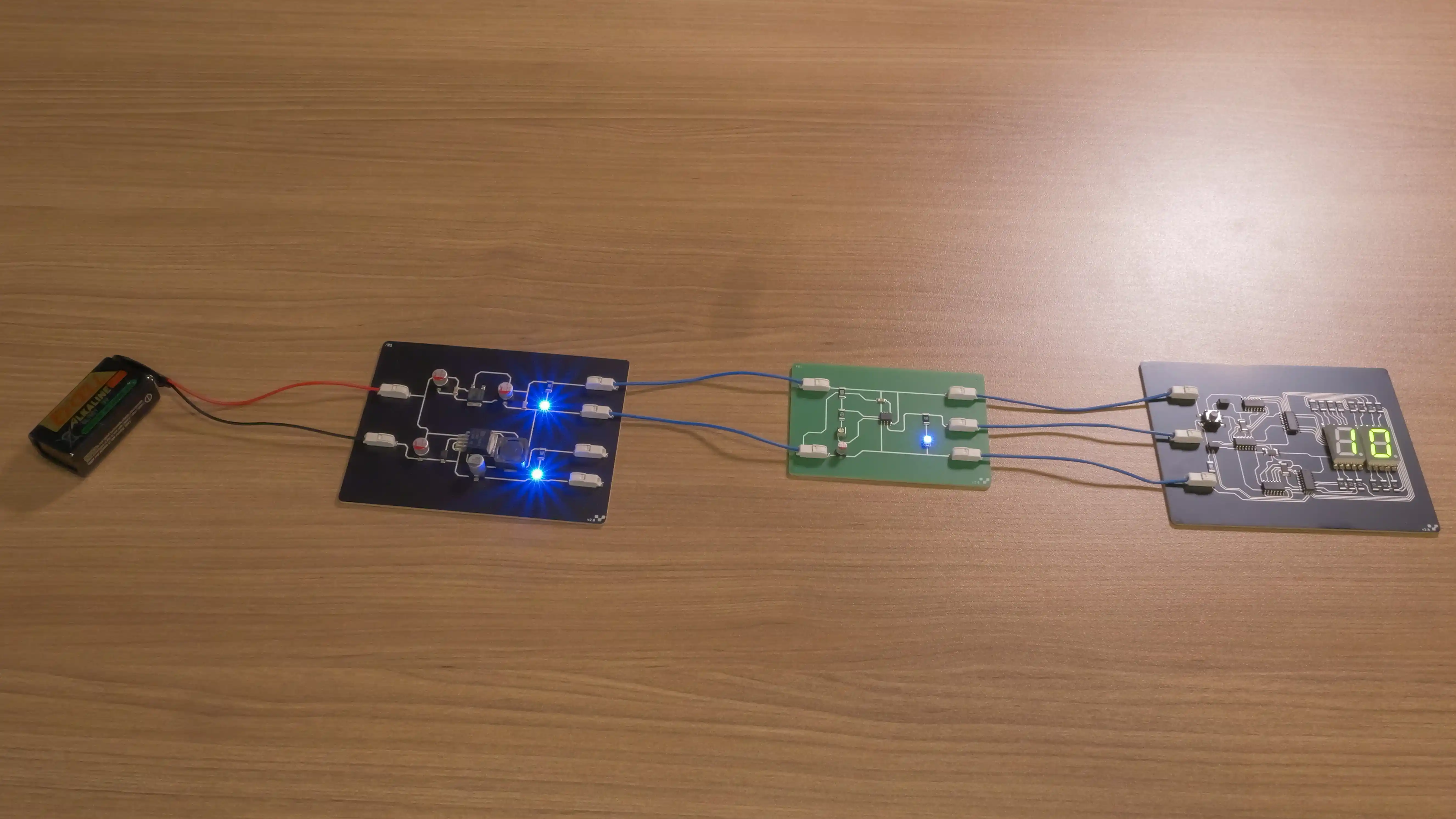
These projects are designed for teaching electronics.The new educational kits include:
- Voltage regulator kit – converts 7V-12V to 5V using both linear and switching regulator ICs.
- Pulse generator kit – uses a 555 timer in astable mode with a variable resistor to produce adjustable timing signals.
- 99 decimal counter kit – uses binary-coded decimal counters and decoders to drive a pair of 7-segment displays from pulse inputs.
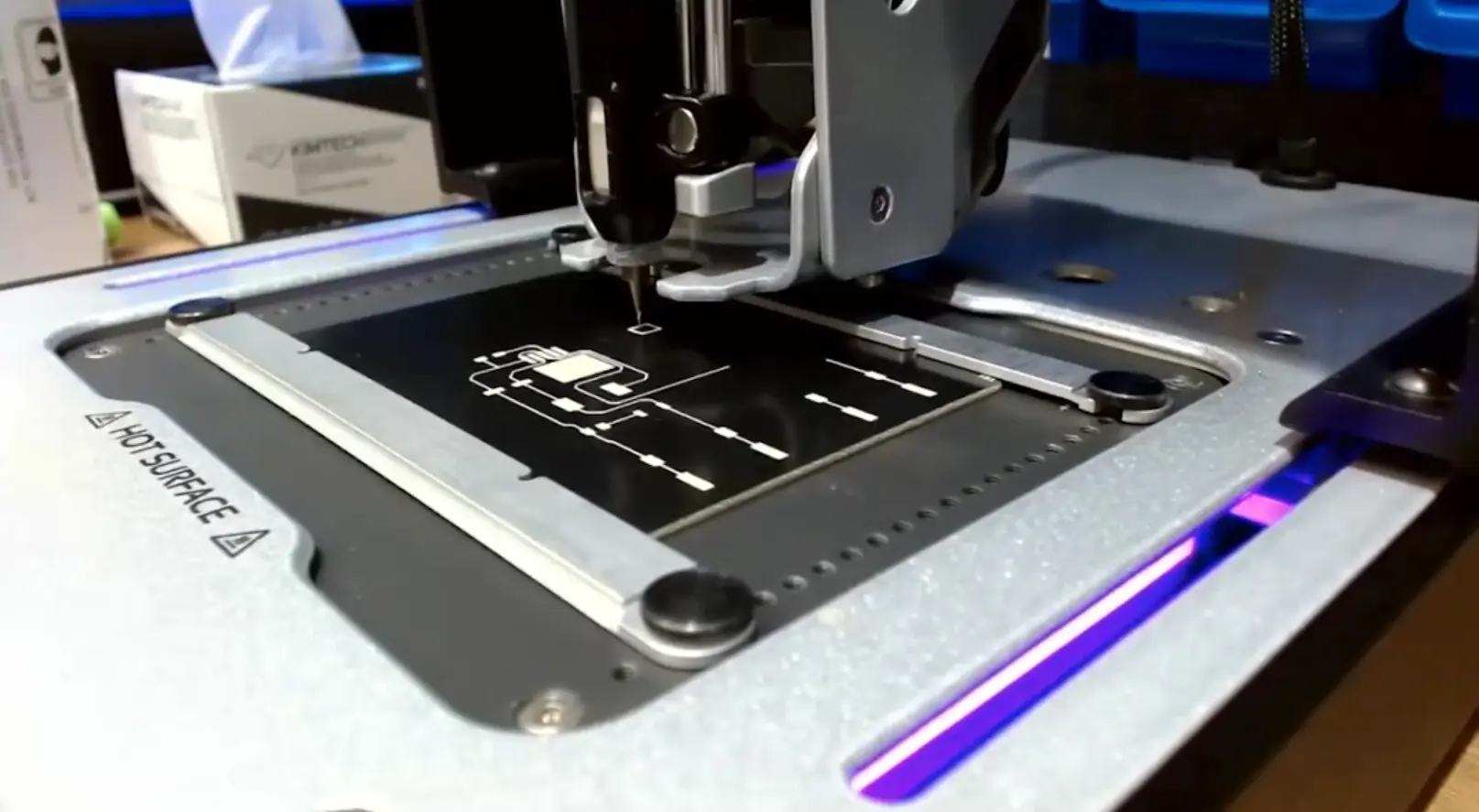
The session featured a live board print on the V-One using Voltera’s silver ink, Conductor 3, covering probing, alignment, calibration, and printing. Attendees got a close look at the software workflow and hardware setup, along with a final demonstration of all three kits operating in sequence.
Teaching electronics with V-One
Nathan shared how each kit builds foundational knowledge while introducing core circuit design principles, including:
- Voltage drop, efficiency, and thermal management in regulator circuits
- Capacitor charging and pulse width control in 555-based timers
- Binary and decimal logic through hardware-based counting
The kits offer scalable learning paths: from simple assembly and observation, to schematic analysis, to full custom board design in ECAD software. All kits come with step-by-step documentation available on our Support site.
Beyond the kits, V-One enables students to explore additive manufacturing concepts like conductive ink printing, solder paste dispensing, curing, reflow, and even via drilling — all within a safe and clean desktop workflow.
Live Q&A
Q: How many layers can V-One print?
A: V-One supports double-sided PCBs by drilling through holes to make vias.
Q: What’s the smallest trace and gap V-One supports?
A: 200 µm trace width and spacing, using metal nozzles for higher precision.
Q: How do you mount components such as SMD or through holes?
A: SMD components are reflowed on-board, and through-holes can be drilled and soldered manually.
Q: Is this printer designed solely for educational purposes or can it also be used as a prototyping and production tool?
A: V-One was designed for speeding up prototyping and turned out to be a great tool for education as well. For production, it depends on the volume. It’s possible to use V-One for low-volume production, but V-One is not designed for mass production.
Q: Does the printer have a resume option if any power cut happens?
A: No. V-One does not currently support automatic resume after a power failure. It’s recommended to ensure a stable power source during printing.
Q: What is the difference between a plastic and metal nozzle and which should I use?
A: Metal nozzles offer better precision and are ideal for fine features like 0.2 mm traces, but they’re more expensive. Plastic nozzles are more affordable and suitable for general use, though they often need to be replaced after each print. If high accuracy isn’t critical, plastic nozzles are usually sufficient.
Additional resources
Want to learn more about PCB education? Check out these resources:
- Webinar: Printing PCBs for Hands-On Learning
- White paper: Printing a Decimal Counter Circuit with Silver Conductive Ink on FR1
- Project guide: Voltage Regulator Project
- Customer story: Revolutionizing PCB Design Education with V-One
Ready to talk about how V-One can be used for your application? Book a call to speak with one of our technical representatives.
Check out our customer stories
Take a closer look at what our customers are doing in the industry.